

Your RGB lighting on your phone
OpenRGB Remote
An unofficial, modern Android client for the OpenRGB SDK server. Controls keyboards, fans and LED strips on the PCs in your network.
No public download yet – the app is in development.
- Status
- In development
- Requires
- Android 8.0 or newer
- Package name
- dev.eno2.openrgbremote
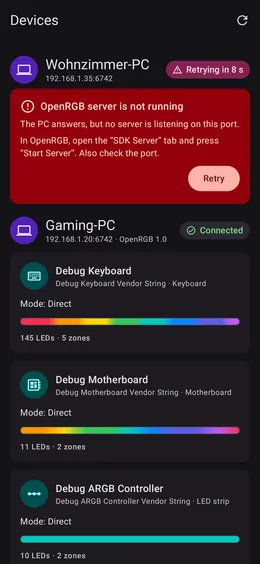
Screenshots
Features
What OpenRGB Remote can do
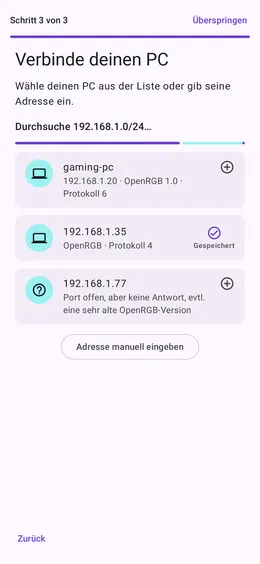
Finds your PCs
Scans your network for OpenRGB servers on port 6742 – or enter the address yourself.
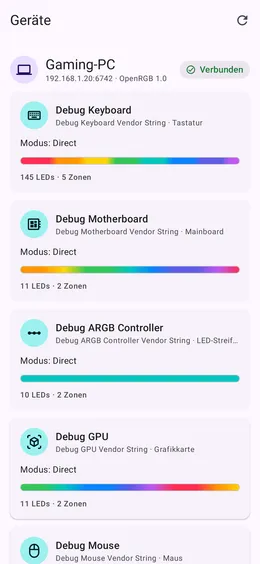
All devices at a glance
Keyboards, mainboards, graphics cards, mice and ARGB controllers with zones, LED count and current color.
Robust connection
Its own protocol module for OpenRGB protocol v0–6 with automatic reconnect, backpressure and clear error messages.
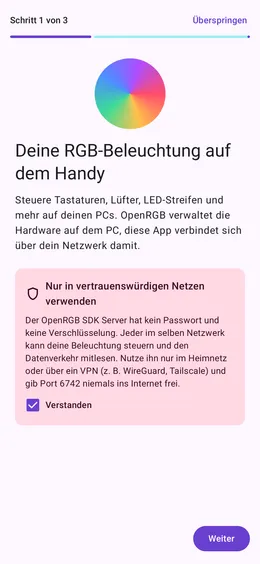
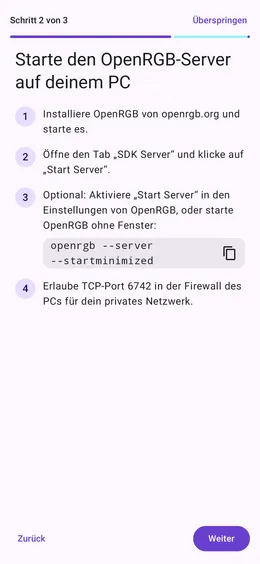
Guided onboarding
Explains in three steps how to start the SDK server and connect your PC – including a security notice.
Bilingual
Fully in English and German, with light and dark theme and a tablet layout.
Work in progress
Color control, profiles, an effects engine as well as widgets and quick settings tiles are next.
Background
About OpenRGB Remote
OpenRGB Remote is an unofficial Android client for OpenRGB. OpenRGB manages the RGB lighting of keyboards, fans, mainboards and LED strips on your PC – this app connects to it over your network, so you can see and control everything from the couch.
The protocol is implemented from scratch based on the public SDK documentation and tested against captures from a real OpenRGB 1.0 server. No OpenRGB code is used, and the app is not an official OpenRGB project.
Status: connections, network scan, device list, detail view and onboarding are done. Color control, profiles and effects are next.